How does it work?
Botflow allows you to add and edit intents, utters and stories without handling markdown or yaml files.
Intents
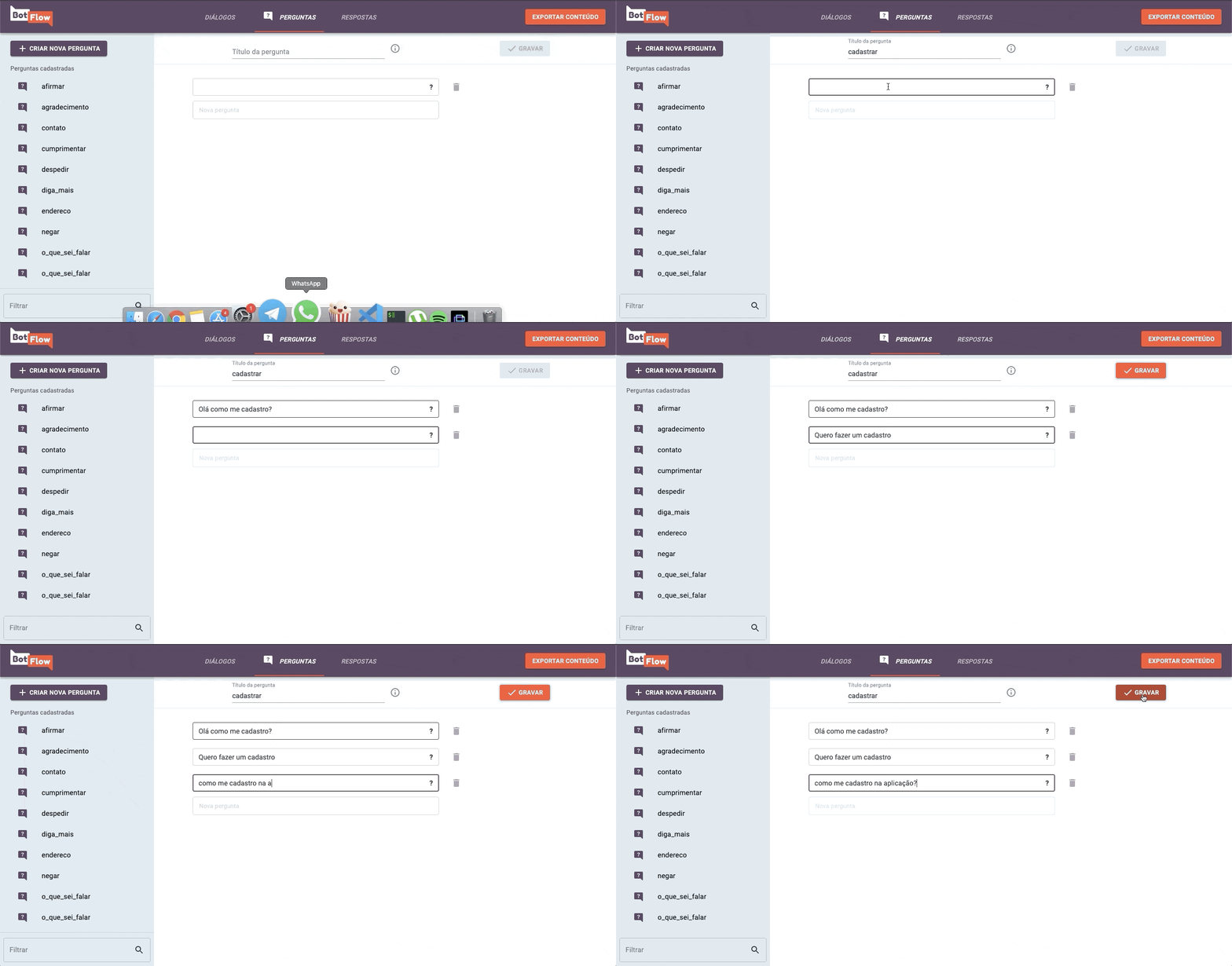
To add the intents, just go to the Questions page and add examples of user’s inputs to that intent. You can also edit or delete a intent by selecting it on the sidebar.
Utters
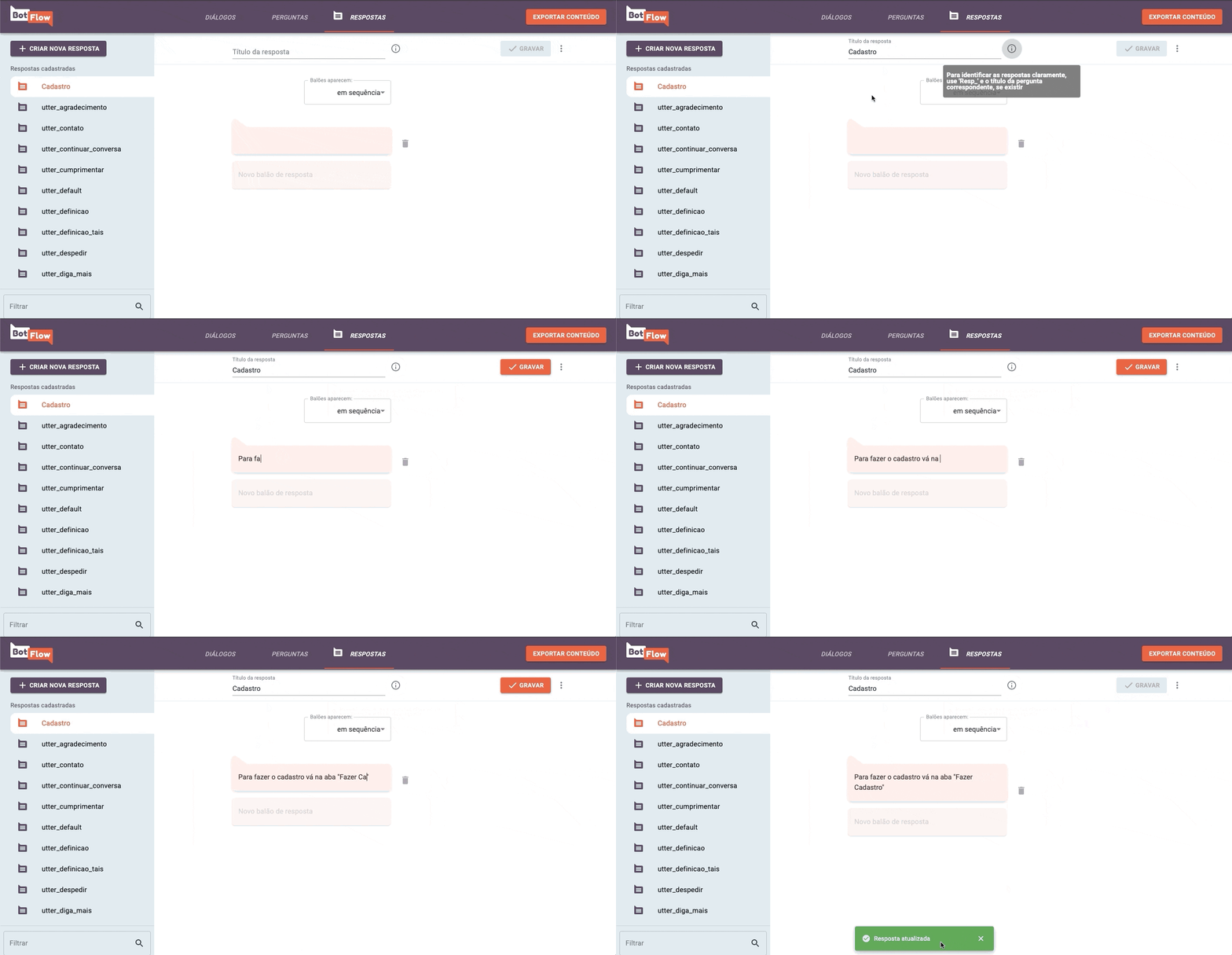
To add utters, just go to the Answers page and add your bot’s answer. You can edit or delete a existing utter as well, just select it on the sidebar. The utters may be displayed as sequence or chosed between alternatives.
Stories
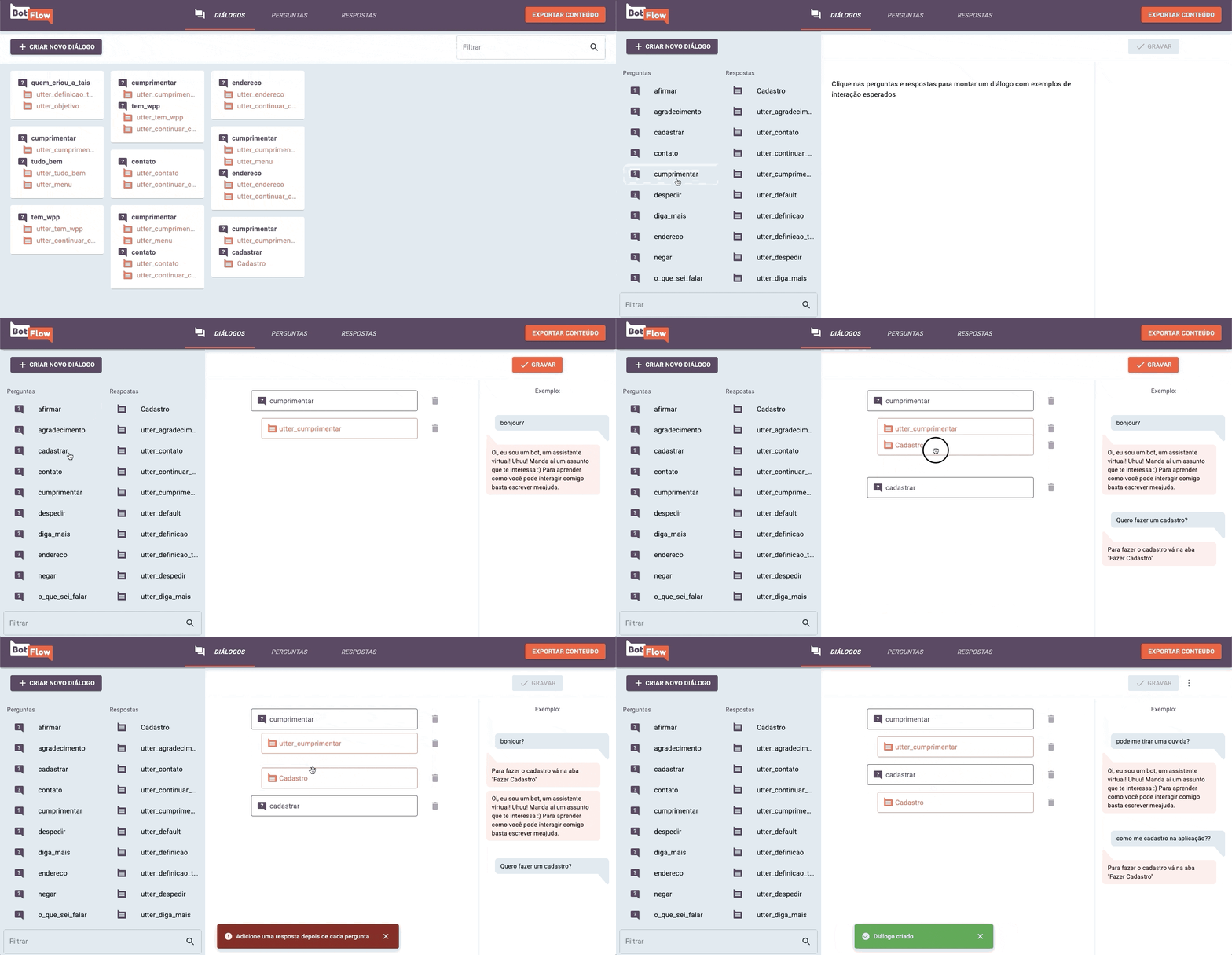
A Story is a sequence of intents and utters. To create one, go to Dialogs page and select an existing story or create a new one. You can drag the elements to place it in the correct order. See an example of conversation on the right side of the screen.
Save Content
After all content is ready, click on the Export Content button on the Navbar and it will download the created content.
About the project
BotFlow was originally created by LAPPIS as part of a project done in partnership with the Brazilian Ministry of Citizenship to manage the content of Tais, a chatbot for the culture incentive law.
License
The entire BotFlow platform is developed under the license GPL3